I used to run three apps simultaneously: Todoist for tasks, Obsidian for notes, and a journaling app for daily reflection. Each promised to be the definitive solution, yet I constantly shuffled between them, copy-pasting thoughts, duplicating tasks, and losing context in the transitions.
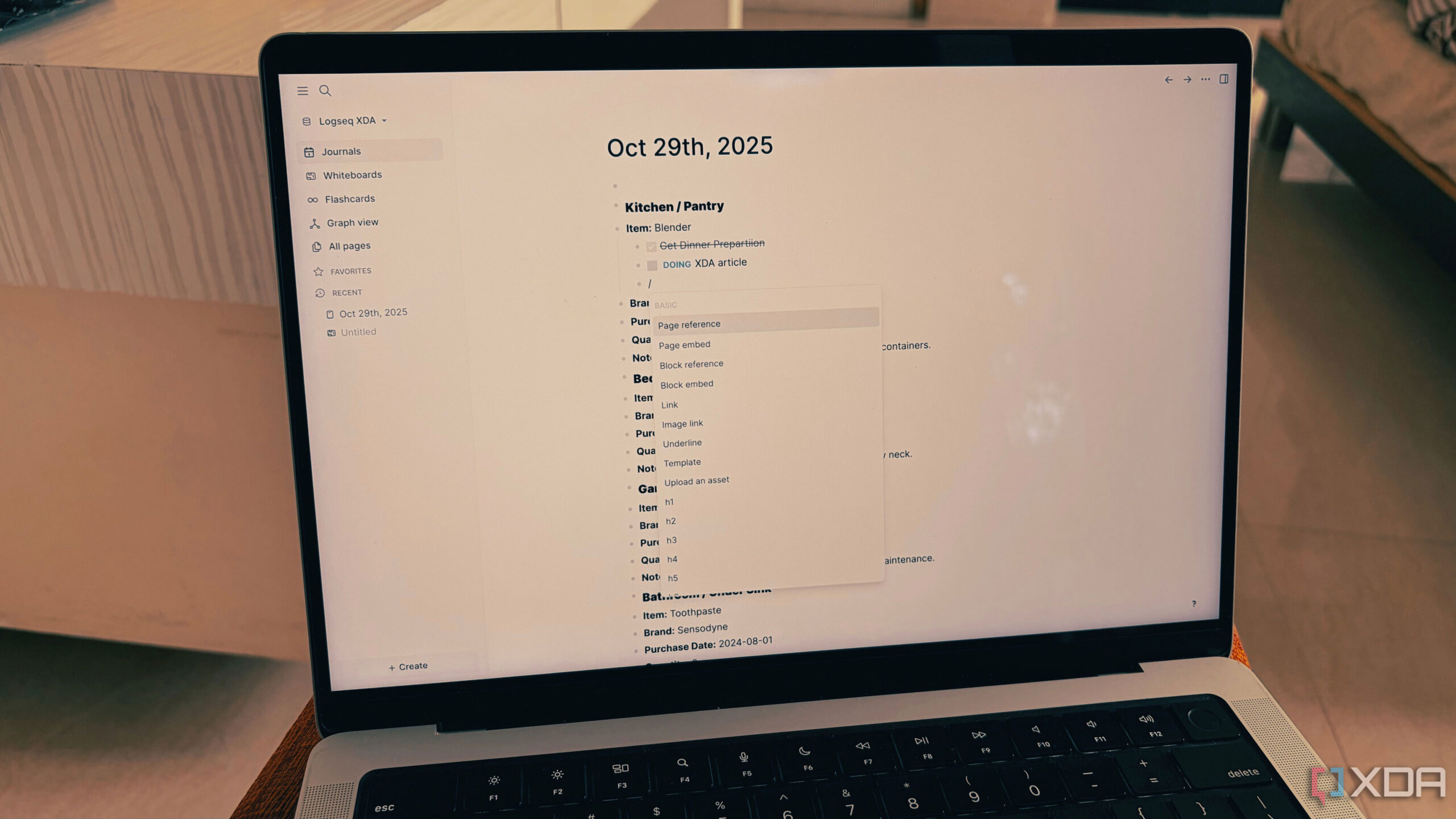
Logseq, on the other hand, is a free, open-source outliner that uses daily pages and bidirectional linking. But it only worked when I stopped trying to impose structure on it. The moment I abandoned folders, tags, and rigid organization was the moment Logseq quietly absorbed all three apps into one frictionless workflow.
Why I was juggling three apps in the first place
Each tool solved one thing badly
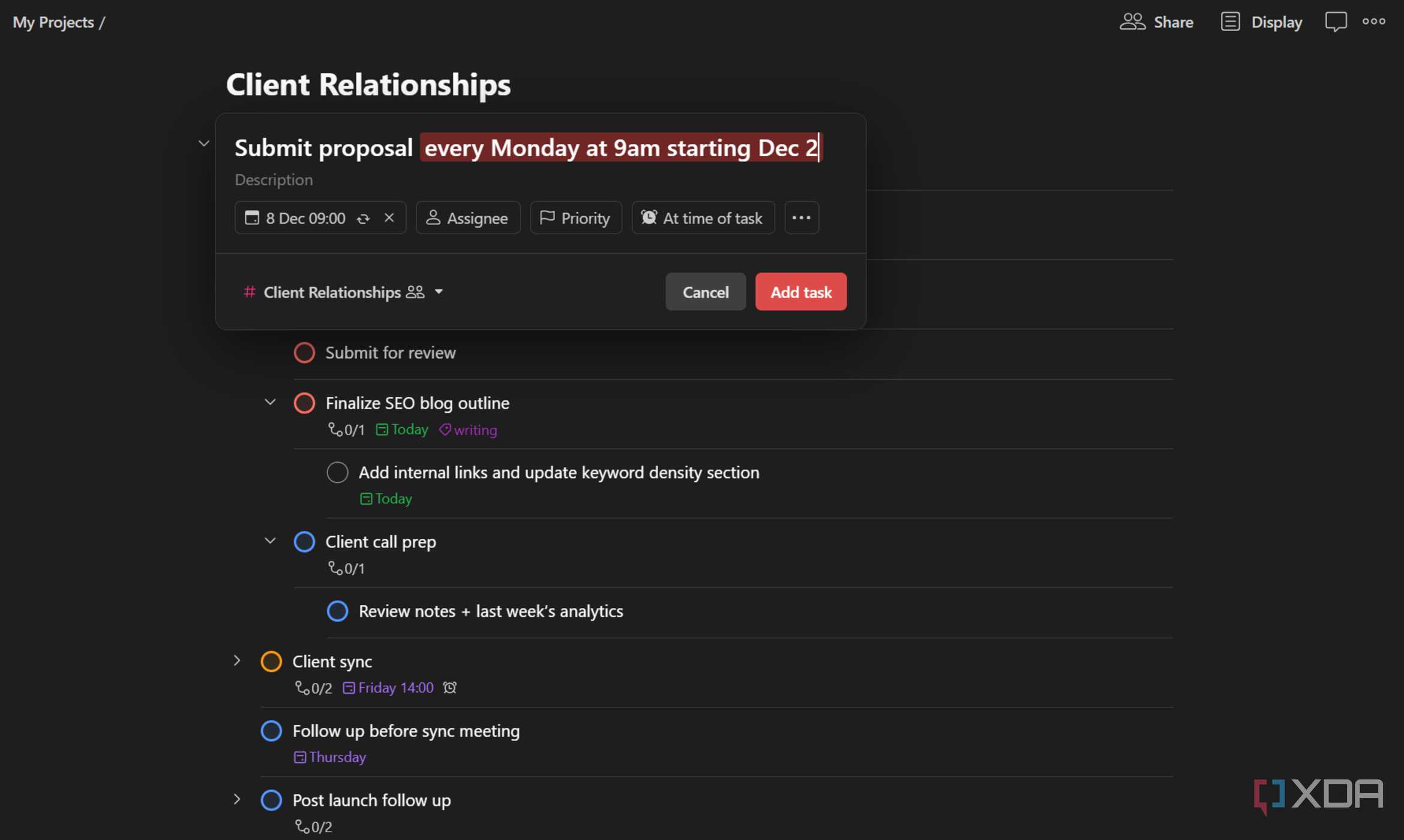
Todoist excelled at reminders, but turned into a graveyard of overdue tasks. I’d create projects, set dates, assign priorities, then watch everything pile up as life inevitably shifted. The app’s strength became its weakness: all that structure demanded constant maintenance. Reconfiguring projects, rescheduling tasks, and archiving completed items; it felt like I was managing the task manager instead of actually doing the work. Obsidian gave me powerful note-linking, but I spent more time architecting folder hierarchies and MOCs (Maps of Content) than actually writing. I’d get stuck debating whether a note about a client meeting belonged in “Clients/CompanyX,” “Meetings/2025,” or “Projects/ActiveCampaign.” The paralysis was real.
RECOMMENDED FOR YOU
My journal app captured daily thoughts beautifully, but lived in total isolation from my work notes and tasks. It was great for morning pages and evening reflections, but those insights never connected to the projects I was actively working on. Each app demanded that I think in its specific paradigm. Tasks needed dates. Notes needed structure. Journal entries needed rituals. I was maintaining three separate mental models just to capture information that naturally overlapped.
The friction was exhausting. A meeting note in Obsidian would spawn a task I’d have to manually recreate in Todoist, complete with project assignment, due date, and priority level. A journal entry about a project idea would get lost because it wasn’t “important enough” to migrate into my note vault. I’d spend 10 minutes figuring out where to file something that took 30 seconds to write. I was spending cognitive energy on where things should live instead of just capturing them. The irony was thick: productivity tools were making me less productive.
Daily pages became my task manager by accident
Todoist wanted structure, I couldn’t maintain
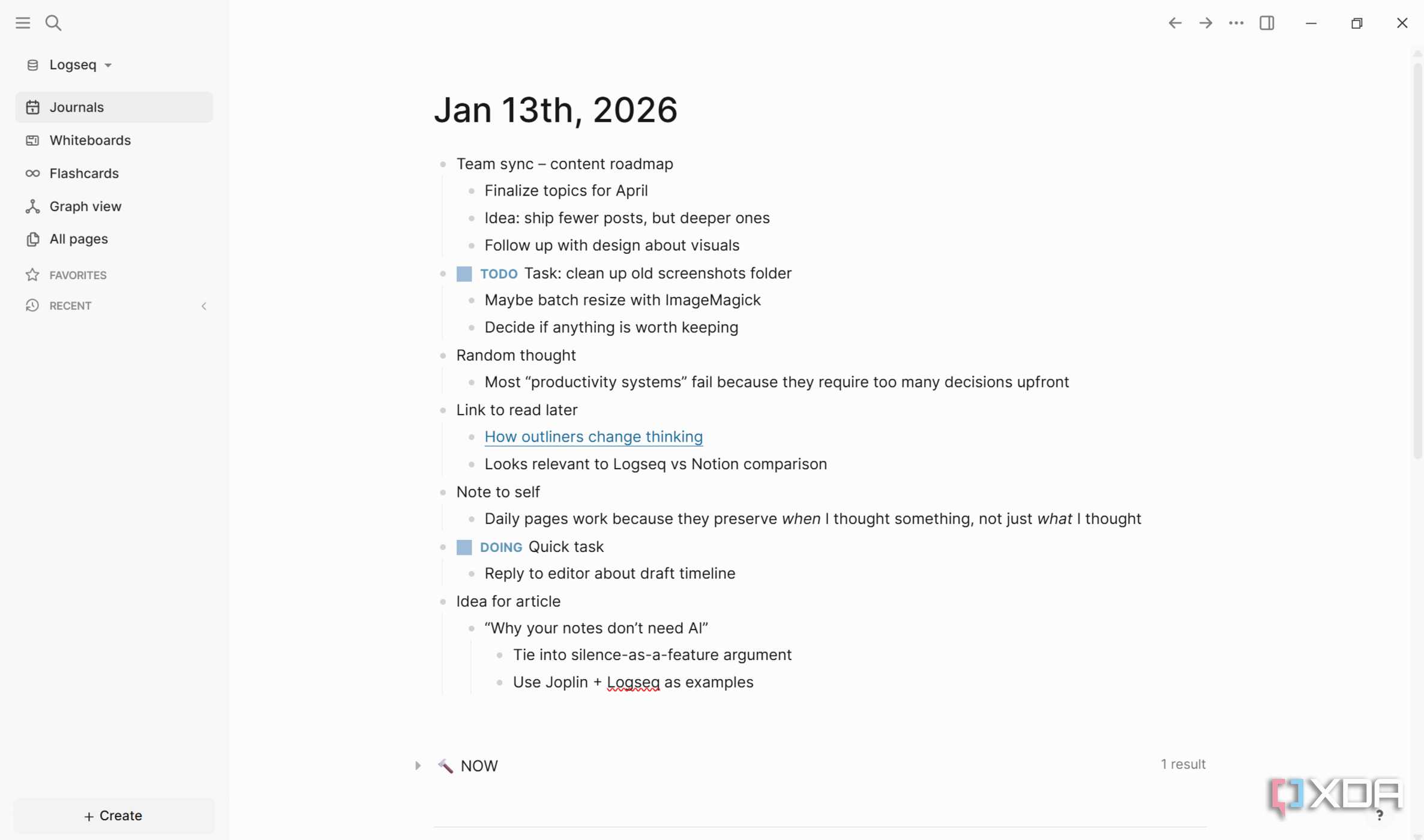
Logseq’s daily pages are deceptively simple: every day gets a blank page with today’s date. That’s it. No projects to configure, no recurring task templates to set up, no reminder notifications to fine-tune. I started using them as a dumping ground for meeting notes, random thoughts, and things I needed to do. I’d type “TODO Fix bug in homepage” or “TODO Email Sarah about Q2 budget” inline with everything else. The magic happened when I realized Logseq automatically aggregates all TODO items across every daily page into a single queryable view.
Unlike Todoist, which punished me for not planning everything perfectly, Logseq’s task system lives where my thoughts already exist. A task isn’t a separate entity I need to context-switch into creating. It’s just a line item on today’s page. If I don’t finish it today, it stays on that date’s page as a record of what I was thinking about. I can query it later with /TODO or link it to a project page via [[Project Name]]. There’s something liberating about tasks that don’t judge you for not finishing them on an arbitrary deadline.
What killed Todoist for me was its insistence on dates and structure. Real work doesn’t always fit into “due next Thursday.” Sometimes tasks are context-dependent: “Ask John about this when I see him” or “Research this if the client approves” or “Fix this if we get budget approval.” These aren’t calendar events but conditional intentions. Logseq lets those live as plain-text TODOs on the day I thought of them, and backlinks connect them to the relevant project without requiring me to nest them in some predetermined hierarchy. When the context arrives, I search for the project and find the task waiting with no system maintenance required.
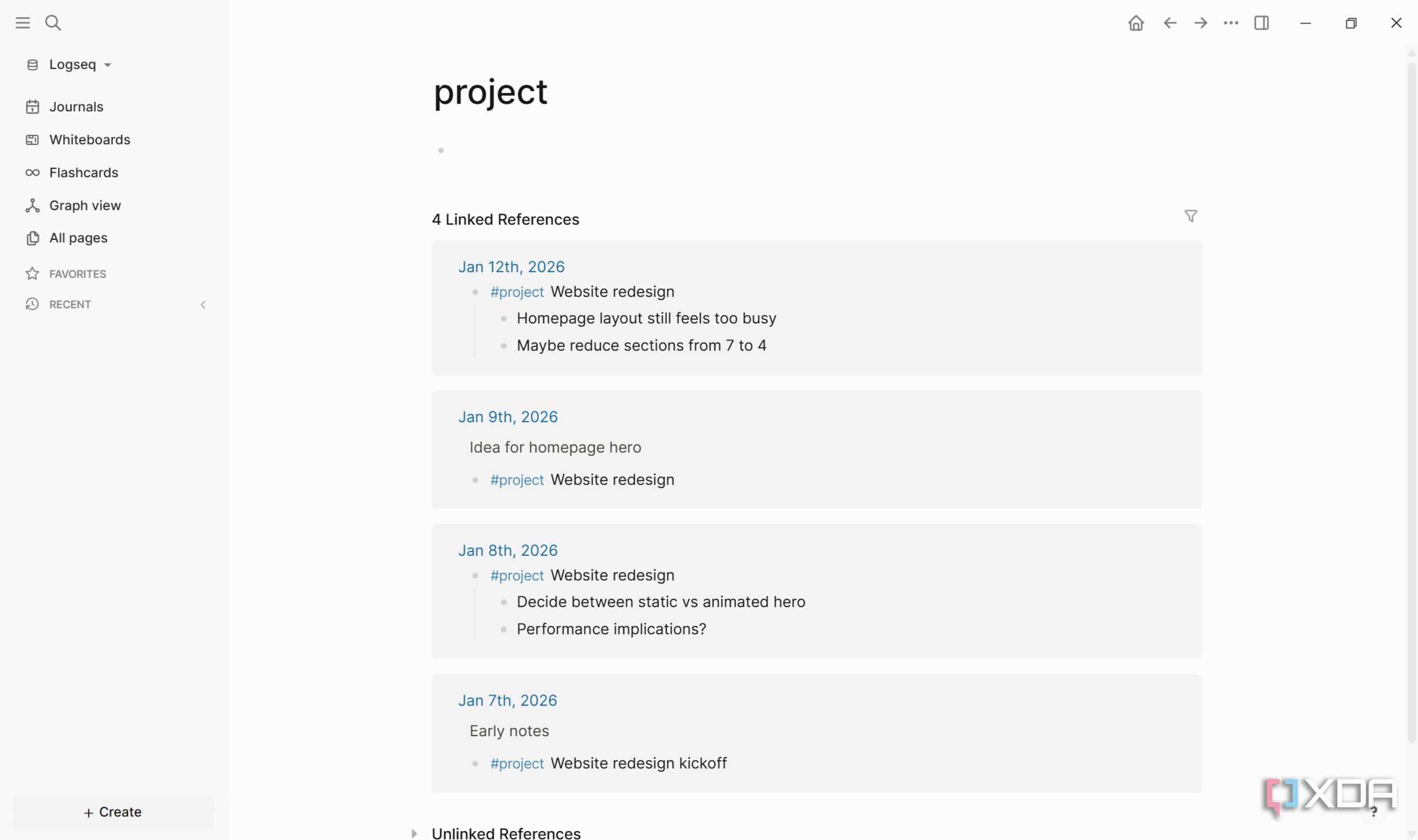
My daily pages also became a time-stamped record of when I thought about things, not just what I needed to do. Looking back at last Tuesday’s page, I see not just tasks, but the full context: what meeting sparked this idea, what else was on my mind, and what obstacles I was facing. That temporal context is often more valuable than the task itself.
Backlinks replaced my Obsidian graph
I stopped building vaults and started linking thoughts
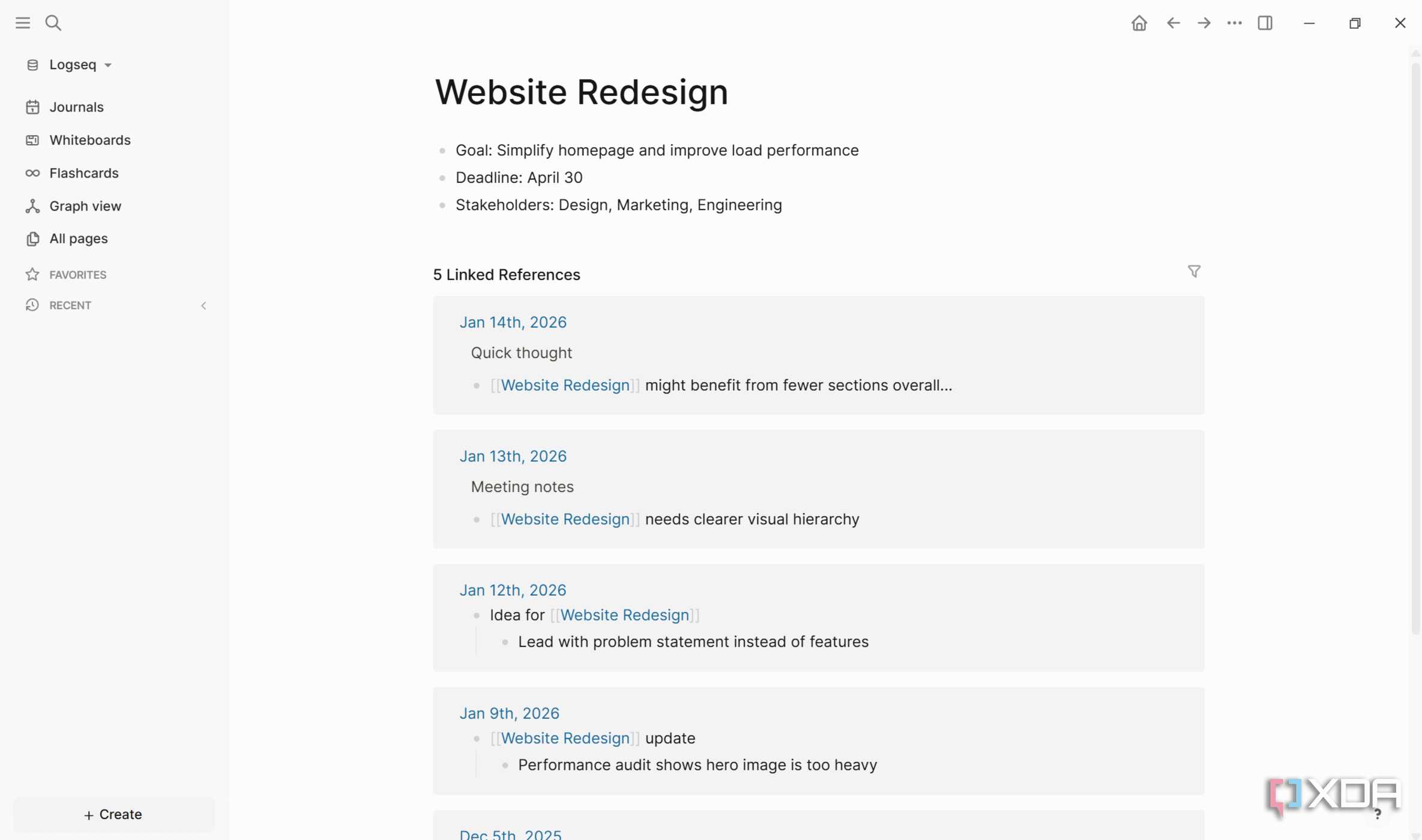
Obsidian’s graph view is gorgeous but useless if you’re paralyzed by organizational decisions. I spent hours debating whether “Client Projects” should be a folder or a tag, whether meeting notes deserved their own sub-folder or should live with project documentation, and whether I needed separate vaults for personal and professional notes. Every organizational choice spawned three more decisions. The tool’s flexibility became oppressive because every option required justification. Logseq obliterated this problem by making organization optional. Every time I mention [[Client Name]] or [[Project X]] in a daily page, Logseq creates a backlink automatically. Click that linked page and I see every reference across all my daily entries with no folders required.
The shift in mindset was profound. In Obsidian, I was constantly asking, “Where should this note go?” In Logseq, I just write and let backlinks create the structure retroactively. Meeting notes from three months ago mentioning [[Budget 2025]] surface automatically when I’m working on that topic today. I never filed them anywhere. The links themselves are the filing system. This inverted approach of structure emerging from use rather than being imposed upfront matches how knowledge actually works in our brains. Humans don’t think in folders. We think in associations.
Logseq’s block-level linking takes this further. Instead of linking entire pages, I can link to specific bullet points. When I reference a particular insight from an old meeting, I link directly to that block with ((block-reference)). This granularity means my “vault,” instead of being a collection of documents, is a web of specific thoughts that connect across time without any upfront taxonomy. A single daily page might contain 15 different topics, each with its own backlinks to relevant project pages, and that’s perfectly fine. The page doesn’t need a theme or a title beyond the date. It’s just the container for whatever I thought about that day.
My journal stopped being a separate ritual
Daily pages archived everything automatically
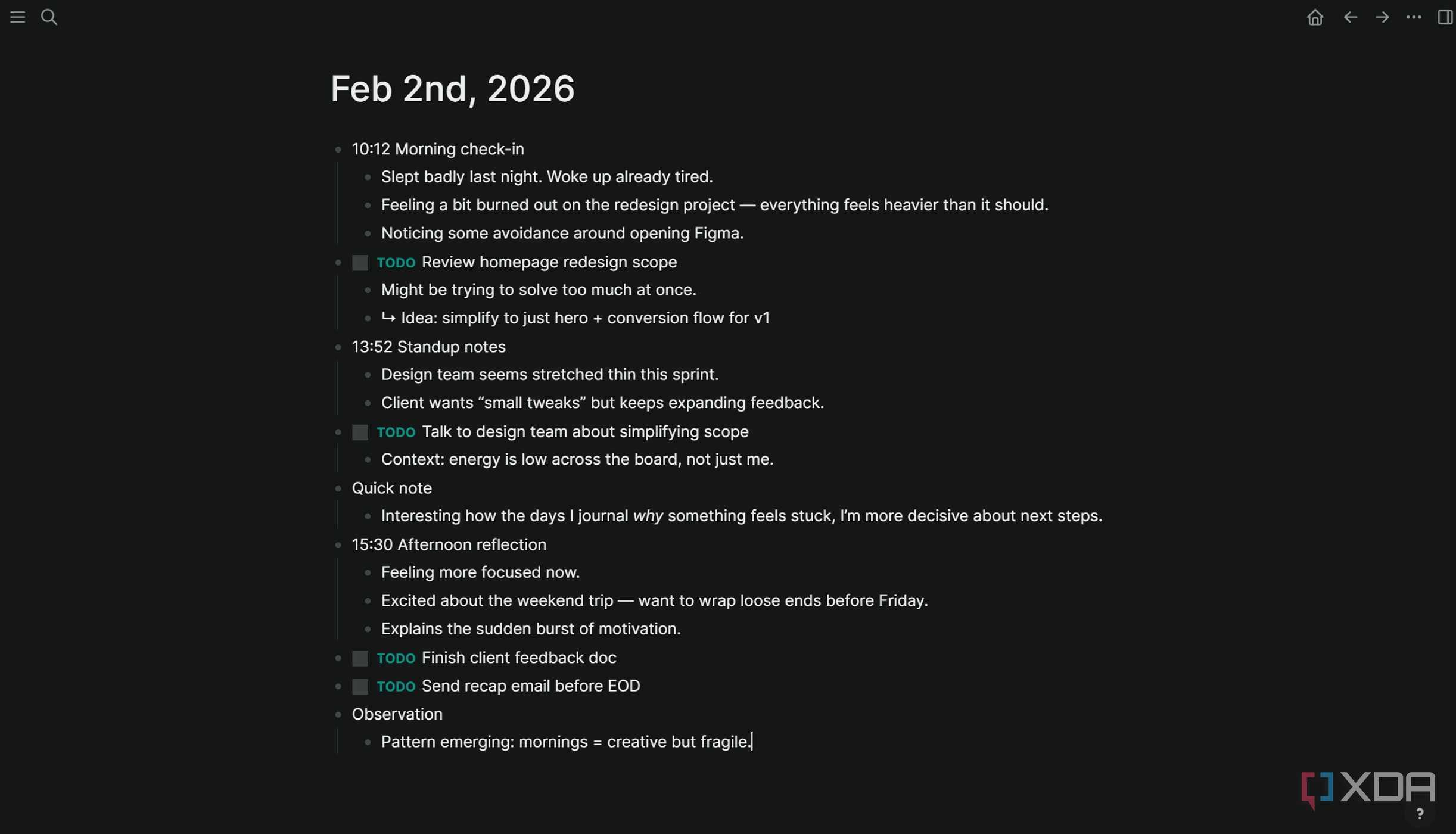
I used to journal in a separate app because I wanted to keep “personal reflection” distinct from “work notes.” The separation felt professional, appropriate, and necessary. But that boundary was artificial. My best insights about projects often came from journaling about why something felt stuck. My personal life influenced my work priorities. A rough night’s sleep explained why I was procrastinating on a difficult task. Excitement about a weekend trip gave me energy to wrap up loose ends before leaving. Keeping them siloed meant I never saw the connections.
Logseq’s daily pages dissolved this boundary naturally. I journal on the same page where I track tasks and meeting notes. A morning entry might say, “Feeling burned out on the redesign project,” immediately followed by “TODO Talk to design team about simplifying scope.” The journal context informs the task; the task validates the journal entry. Because it’s all timestamped on the same daily page, I can search back and see not just what I was working on three weeks ago, but how I felt about it. That emotional metadata often explains patterns I’d otherwise miss: why certain projects always stall, why I’m consistently more creative in the mornings, and why client meetings drain me more than internal ones.
The psychological shift mattered too. Journaling felt like homework when it was a separate ritual. There was pressure to be profound, to “do it right,” to maintain a streak. Now it’s just part of my daily page; sometimes a single sentence, sometimes three paragraphs. There’s no pressure to “do journaling correctly” because there’s no separate app demanding consistency. The daily page exists whether I write 10 words or 1,000. Some days are just task lists. Some days are pure reflection. Most days are a messy combination, and that’s exactly how real life works.
The less I organized, the more I retrieved
Search and queries did the heavy lifting
The counterintuitive breakthrough: Logseq works better when you don’t organize. I stopped creating elaborate page hierarchies, stopped obsessing over tags, stopped trying to “set up a system.” I just wrote. Daily pages accumulated into hundreds of entries, each a messy mix of tasks, notes, links, and reflections. Yet when I needed something, I found it instantly because Logseq’s search and query functions made organization irrelevant. The system’s structure emerges from use, not from upfront planning. This is computational thinking at its best. Let the machine handle the organization while you focus on capture and retrieval.
Todoist required me to organize tasks before capturing them. Obsidian required me to organize notes before they’d be useful. My journal required me to separate “important” from “mundane.” Logseq required nothing except that I show up each day and write on that day’s page. The backlinks, queries, and search transformed my unstructured brain dump into a surprisingly functional productivity system, one that finally matched how I actually think instead of forcing me into someone else’s organizational religion.
Finished reading? There’s more to explore.
Leave a Reply